Making Payments To Your Tuition Account from Within Canada
On this page:
Online, Mobile Banking at your Financial Institution (Bank)
*Please note, if you have an approved student line of credit through your financial institution, you may use the online bill payment option to access these funds. Please contact your branch for additional information.
Online banking links are available through Bear Tracks or by logging into your bank's website.
You may pay your student tuition account through Online, Mobile or Telephone Banking as if you are paying a utility bill.
Access your bank website and sign in.
Add 'University of Alberta' as a payee on your bill payment profile
Use your SEVEN DIGIT STUDENT ID NUMBER, then the FIRST FOUR LETTERS OF YOUR LAST NAME as your account number(EG. 1234567SMIT). If your last name is less than FOUR LETTERS, please use your first name to complete the four LETTERS (EG: John Xu = 1234567XUJO)
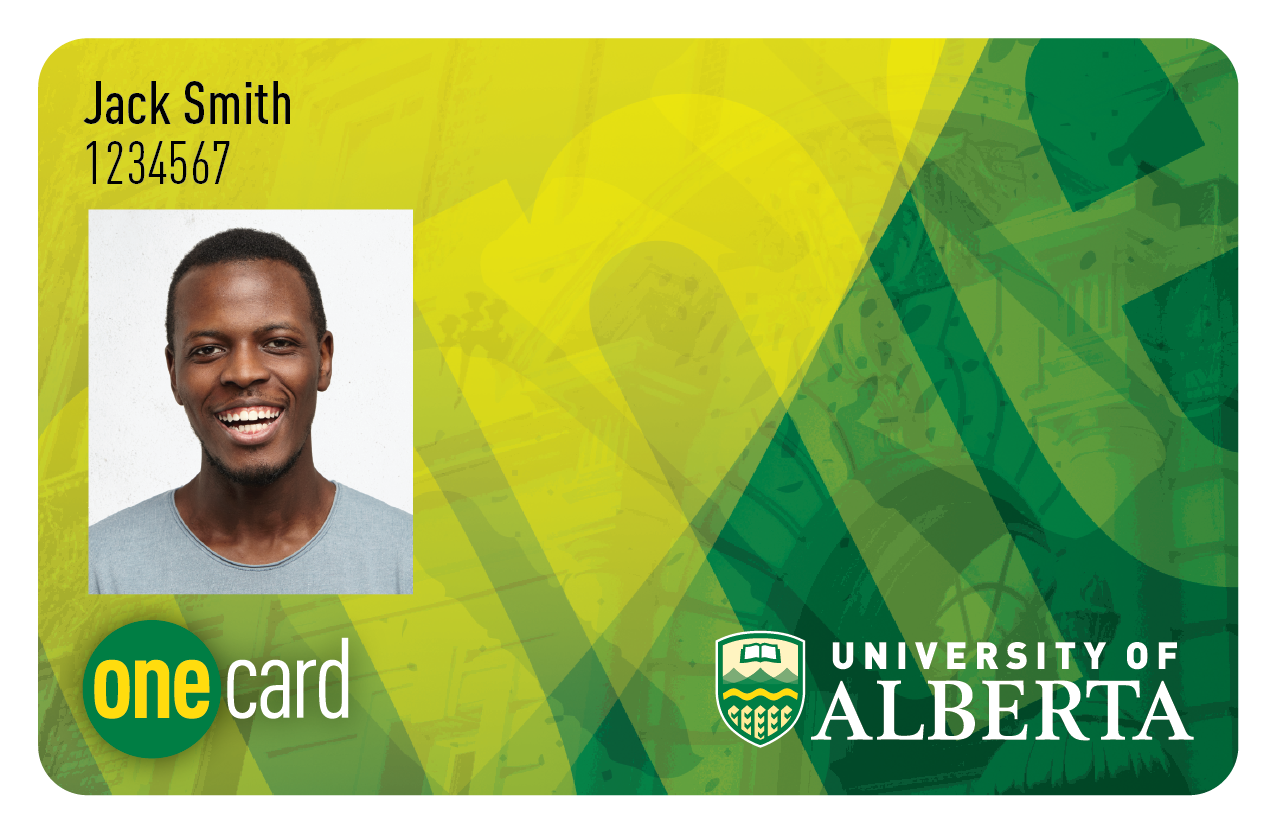
Enter the amount to be paid and the date on which you would like to pay.
Complete the transaction as if you were paying a utility bill.
You may post date your payment to the tuition payment deadline. Most financial institutions will accept post dated Online/Mobile/Telephone banking payments. If you do not pay your tuition by the deadline, your account will be assessed an interest charge of 18 per cent per annum.
If you are having difficulties in setting up your payee account, your bank will be able to assist you.
Please allow two business days to process your payment. Please note that this service is available for tuition only. It does NOT include Housing, Library, etc.
Beginning June 3, 2024, online banking payments will appear as "PayMyTuition" on students' Beartracks and Residence receipts.
CIBC Student pay
The University of Alberta has partnered with CIBC for students making payments from within Canada.
CIBC's Student Pay is a cost-effective method for students to pay their fees from within Canada. Gain access to a digital platform where you can make your payments to the University of Alberta by clicking here.
The benefits of using CIBC student pay include:
- Convenience of making payments through the digital portal
- 24/7 payment tracking through the online tool
- Continuous status updates until your payment is processed
- Enhanced security
CIBC's Student Pay platform for domestic students supports the following preferred payment methods: Visa, MasterCard and Direct Debit Electronic Fund Transfer.
Please watch the tutorial video to learn more about this payment method. Also available in several languages.
To ensure a smooth payment process, CIBC offers 24/7 multilingual support. For more information, visit the website or review the FAQ page.
Credit Card Payments
PayMyTuition
University of Alberta has partnered with PayMyTuition for tuition payments so students can make fast, simple, and cost-effective tuition and fee payments.

1. Make a payment
Click on the “Pay now with PayMyTuition” button above to pay with a Visa Debit/Credit, MasterCard Debit/Credit, or American Express card that has been issued from Canada to make a payment in CAD.
2. Track & confirm your payment
Using a Visa Debit/Credit, MasterCard Debit/Credit, or American Express card will allow you to receive immediate confirmation that your payment was approved. You will also receive an email confirmation when your institution receives your payment.
PayMyTuiton is a leading provider of payment processing solutions that facilitates simple and cost-effective ways of paying tuition and fees.
You will need to have your student account number (7-digit student ID number plus the first four letters of your last name) and provide your first and last name (as registered) to process your payment to the University of Alberta via PayMyTuition.
Once you approve the payment, you will see the completed transaction on your credit card statement from PayMyTuition.
When making a payment through the PayMyTuition site, you are asked for an e-mail address. PayMyTuition will use this email to send a confirmation of your payment immediately after it's been made. You can also print a copy of your payment receipt at the time of payment. The University of Alberta will not be able to access or print this receipt for you.
Additional Information on PayMyTuition:
PayMyTuition customer support information
Call 1.855.663.6839 (toll-free) or email us at support@paymytuition.com. You can also contact us by live chat on our support page and we will answer any of your questions in real-time to help you make your payment.
Terms of Use
The University of Alberta can receive credit card payments via PayMyTuition. The University of Alberta does not own or control the operations of PayMyTuition. PayMyTuition is a third-party service provider, and users of the service are subject to PayMyTuition's Terms and Conditions. Please note: Service fees may be charged to the card holder.
In person payment or by mail
The Cash Management Office (CMO) is available to accept student payments for both Augustana and University of Alberta (north campus).
You can drop a cheque in the drop box at CMO located on the 3rd floor of the South Academic Building (SAB)in Edmonton or to the Help Desk in Founders Hall, Augustana, Camrose. Be sure to include your Name and Student ID number.
If your cheque is returned by your bank, an NSF fee of $25.00 will apply.
Note, if you are paying by cheque from a US bank account, you will find the currency exchange rate information on the UofA finance website. The rates change weekly and Finance, Planning, and Procurement will calculate the rate for the week in which the cheque is received.
Payments may be mailed to Student Receivables at 1-200, Enterprise Square, 10230 Jasper Avenue, Edmonton, AB, T5J 4P6.
Mail delays will not be accepted as a reason for late payment.
Do not send cash.